Multitrack Audio Sender
Free / Open Source
Publish OBS Tracks 1–6 as separate, low-latency audio-only NDI sources. OBS Track 1〜6を、独立した低レイテンシーの音声専用NDIソースとして配信。
A free, open-source OBS Studio plug-in that sends each of OBS's six audio tracks as an independently switchable stereo audio-only NDI source. OBSの6つの音声トラックを、個別に切り替えられるステレオ音声専用NDIソースとして送信する無料OSS OBS Studioプラグインです。
Get this app
Enjoying Multitrack Audio Sender?
Optional support helps fund ongoing open-source development.
Support on Ko-fiRoute every OBS track independently
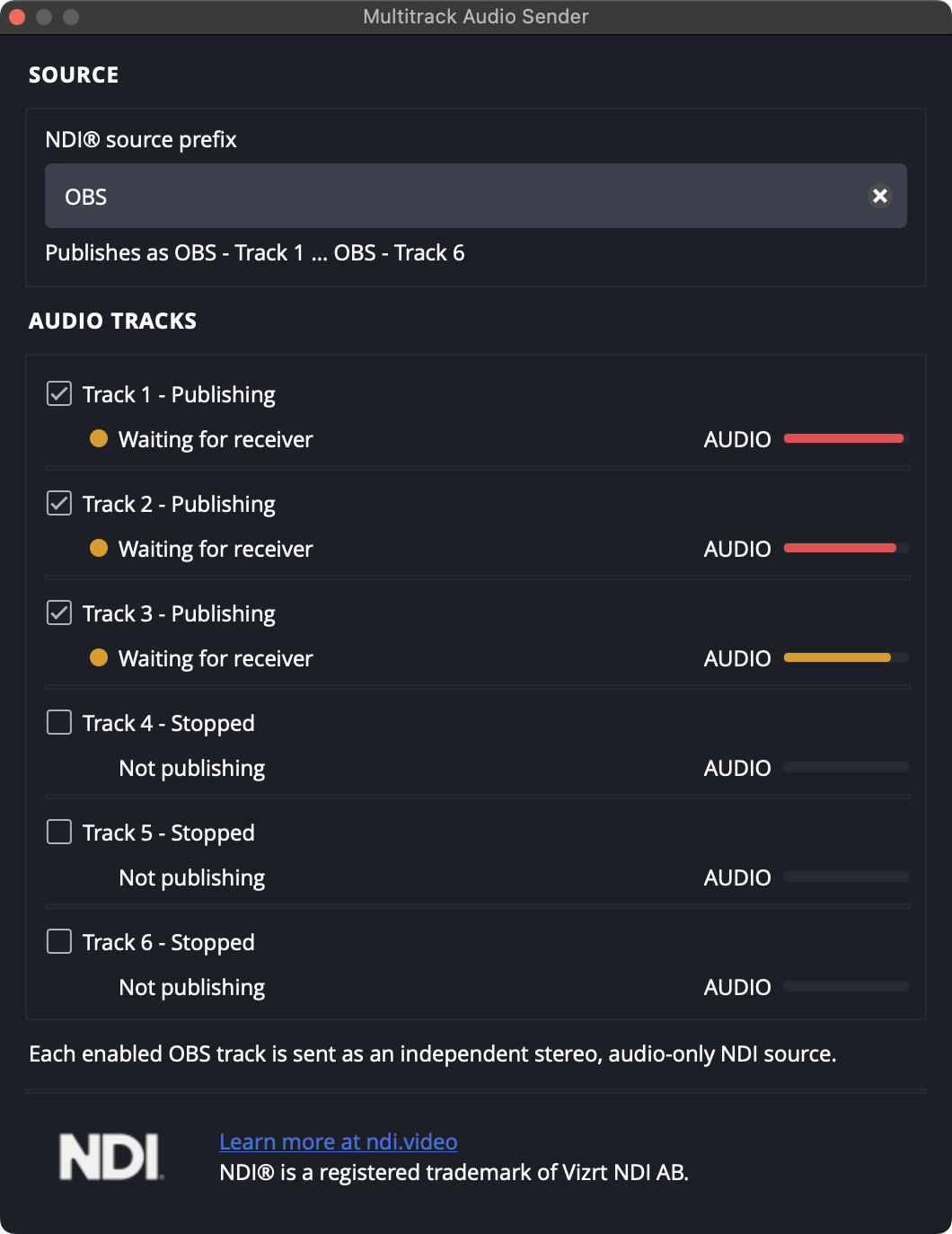
Multitrack Audio Sender turns OBS audio Tracks 1–6 into separate, stereo, audio-only NDI® sources. Each source is advertised as <prefix> - Track N, making it easy to route individual mixes into a DAW, recorder, or another NDI-compatible receiver.
Features
- Publish OBS Tracks 1–6 independently
- Low-latency design with small queues synchronized to the OBS audio clock
- Keeps network sending and blocking work out of OBS's real-time audio callback
- Separately shows sender state, receiver connection, and transmitted audio level
- Peak meter reflects the PCM audio actually submitted to the sender
- Compact, scrollable, theme-aware OBS dock
Requirements
- OBS Studio 31.1 or later
- NDI Runtime 6, installed separately
- macOS 13 or later, or 64-bit Windows
Install NDI Runtime 6 before using the plug-in, then restart OBS. Open Docks → Multitrack Audio Sender, set a source prefix, and enable the tracks you want to publish.
License and compatibility
GPL-2.0-or-later. NDI Runtime is not included; it must be installed separately under its own terms. This is an independent third-party project and is not affiliated with the OBS Project or Vizrt NDI AB.
OBSの各トラックを独立してルーティング
Multitrack Audio Sender は、OBS の音声 Track 1〜6 を独立したステレオ音声専用 NDI® ソースへ変換します。各ソースは <prefix> - Track N として公開されるため、DAW、レコーダー、その他の NDI 対応レシーバーへ個別のミックスを明確にルーティングできます。
機能
- OBS Track 1〜6 を独立して送信
- OBSのオーディオクロックに同期した小さなキューによる低レイテンシー設計
- ネットワーク送信やブロッキング処理を、OBSのリアルタイム音声コールバックから分離
- Sender状態、レシーバー接続、送信中のオーディオレベルを個別に表示
- 実際に送信側へ渡されたPCM音声をPeakメーターで表示
- コンパクトでスクロール可能、テーマ対応のOBSドック
動作環境
- OBS Studio 31.1以降
- 別途インストールした NDI Runtime 6
- macOS 13以降、または64-bit Windows
使用前に NDI Runtime 6 をインストールして OBS を再起動してください。ドック → Multitrack Audio Sender を開き、ソースプレフィックスを設定して公開するトラックを有効にします。
ライセンスと互換性
GPL-2.0-or-later。NDI Runtime は同梱されておらず、別途その利用条件に従ってインストールが必要です。本プラグインは独立したサードパーティプロジェクトであり、OBS Project および Vizrt NDI AB とは提携・推奨・支援関係にありません。
Changelog
Version 1.0.0
2026-07-20- Initial public release.
- 初回公開リリース。