Vertical Converter
$29.99
Convert horizontal videos to vertical without launching a heavy editor. 重いアプリを立ち上げなくても、横長動画をそのまま縦型に変換。
2026-07-05
A free demo build is available on GitHub Releases. Output includes a watermark, but all features are fully accessible.
無料のデモ版をGitHub Releasesで配布しています。出力動画にウォーターマークが入りますが、全機能をそのまま試せます。
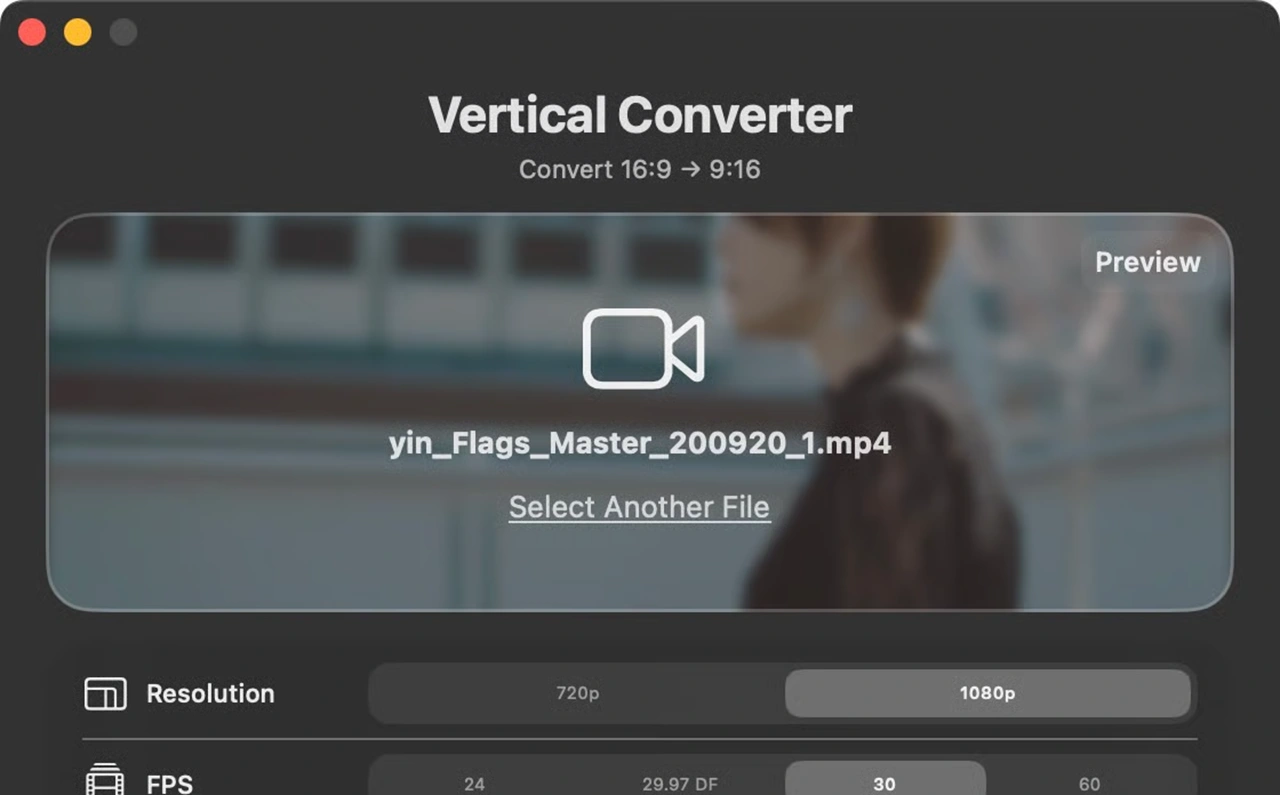
A lightweight macOS app that converts 16:9 landscape videos into 9:16 portrait format for YouTube Shorts, Instagram Reels, and TikTok in one click. 16:9の横長動画をYouTubeショート、Instagramリール、TikTok向けの9:16縦型動画へ、ボタン1つで変換する軽量macOSアプリです。
Get this app
Key Features
- One-Click 16:9 to 9:16 Conversion — Turn landscape videos into vertical output for YouTube Shorts, Instagram Reels, and TikTok without opening a full editing suite
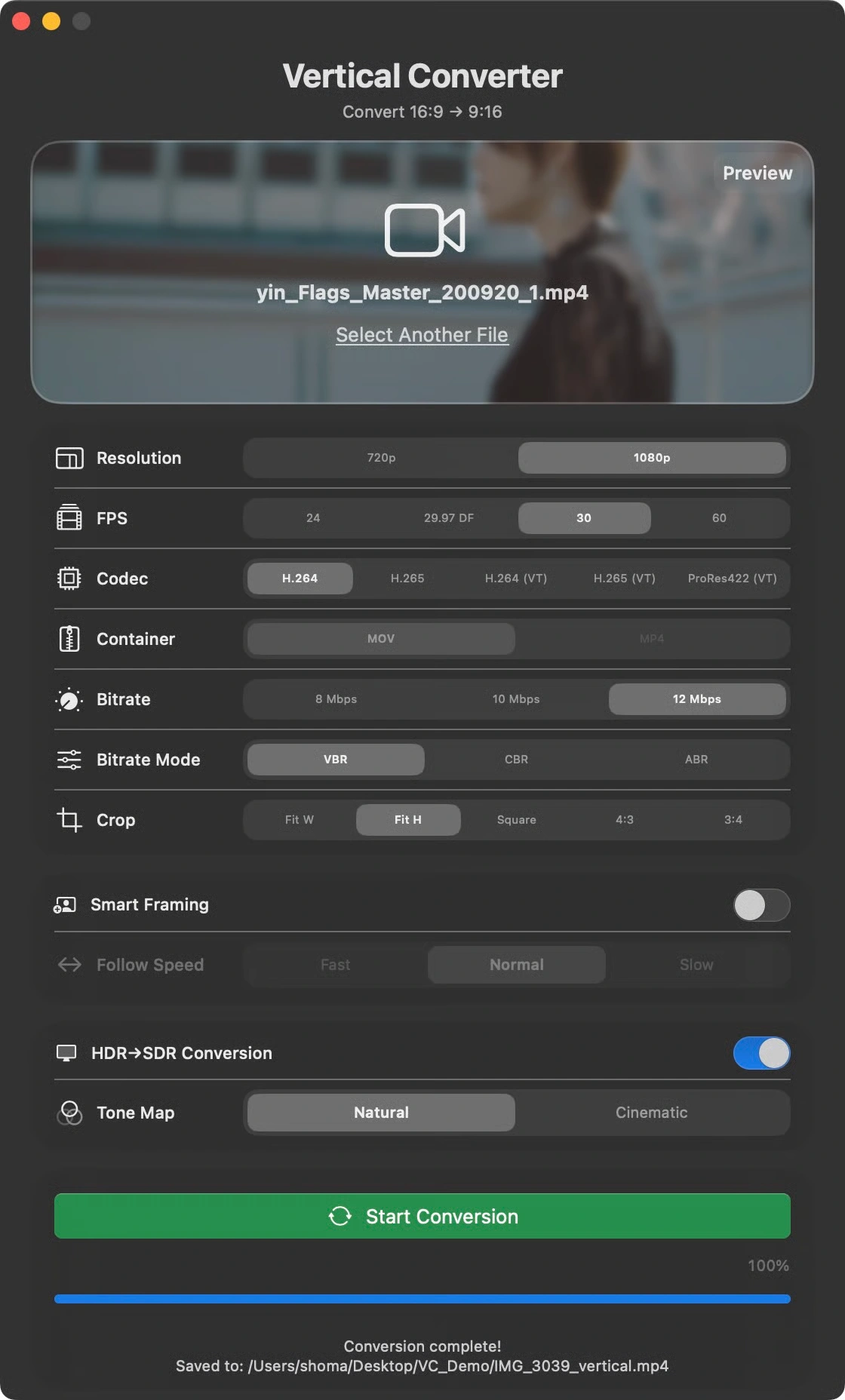
- Smart Framing with Apple Vision — Detects and follows subjects across the full video so the crop stays focused automatically
- Multi-Subject Tracking — Uses IOU-based tracking to follow multiple people and determine the main subject even in group shots
- Natural Motion Smoothing — Frame-rate-dependent EMA filtering keeps camera motion steady instead of jumpy
- Y-Axis Headroom Control — Helps keep faces and heads from getting cropped too tightly
- No Cloud, No Account, No Subscription — Everything runs locally on your Mac
More Features
- HDR Passthrough — Preserve HLG / PQ / BT.2020 metadata during vertical conversion
- HDR to SDR Conversion — Convert with Natural, Rec.709-faithful, or Cinematic ACES-style tone mapping
- Flexible Encoding Options — H.264 / H.265 / H.264 (VT) / H.265 (VT) / ProRes422 (VT), MOV / MP4, 720p / 1080p, 24 / 29.97 DF / 30 / 60 fps, and VBR / CBR / ABR bitrate modes
- Batch Conversion — Drop multiple files and process them together
- Crop Preview — Check framing before conversion with thumbnail-based scrubbing
- Five Crop Modes — Fit W / Fit H / Square / 4:3 / 3:4
- hev1 to hvc1 Auto Remux — Lossless remuxing before processing, with no quality loss
- Dock Progress Bar — Track conversion progress from the Dock
- Auto-open in Finder — Open the output folder automatically when conversion finishes
Vertical Converter is built for creators who already have finished footage and simply need a fast path into a vertical format. Instead of opening a full NLE project just to make social-ready exports, you can drop the file, review the framing, and convert.
Privacy First
Vertical Converter never connects to the internet. Your video files never leave your Mac. No telemetry, no analytics, no login.
System Requirements
- macOS 14.0 or later
- Apple Silicon, M1 or later
- Built with Swift / SwiftUI / AVFoundation / Vision
主な特徴
- 16:9から9:16へワンクリック変換 — 横長動画を、YouTubeショート、Instagramリール、TikTok向けの縦型動画へ、重い編集ソフトを開かずに変換
- Apple Visionによるスマートフレーミング — 動画全体から被写体を検出・追従し、クロップ位置を自動で調整
- 複数被写体トラッキング — IOUベースのトラッキングで複数人物を追いながら、グループショットでも主役を自動判定
- 自然な追従スムージング — fps依存のEMAフィルタにより、ガタつきにくい自然な追従動作を実現
- Y方向ヘッドルーム制御 — 顔や頭が切れすぎないよう、上方向の余白を確保しやすい設計
- クラウド不要・アカウント不要・サブスク不要 — すべてあなたのMac上で完結
そのほかの機能
- HDRパススルー — HLG / PQ / BT.2020メタデータを保持したまま縦変換
- HDRからSDRへの変換 — Natural、Rec.709忠実、またはCinematic ACES風トーンマッピングに対応
- 柔軟なエンコード設定 — H.264 / H.265 / H.264 (VT) / H.265 (VT) / ProRes422 (VT)、MOV / MP4、720p / 1080p、24 / 29.97 DF / 30 / 60 fps、VBR / CBR / ABR を選択可能
- バッチ変換 — 複数ファイルをまとめて処理
- クロッププレビュー — サムネイルを見ながら変換前に構図を確認
- 5種類のクロップモード — Fit W / Fit H / Square / 4:3 / 3:4
- hev1からhvc1自動リマックス — 再エンコードなし、品質劣化なしで事前リマックス
- Dockプログレスバー — Dock上で変換進捗を確認
- Finder自動表示 — 変換完了後に出力先フォルダを自動で開く
Vertical Converter は、すでに撮影済みの素材を素早く縦動画化したい制作者向けのアプリです。フル機能の動画編集ソフトを立ち上げて書き出し設定を組み直す代わりに、ファイルをドロップして構図を確認し、そのまま変換できます。
プライバシー重視
Vertical Converter はインターネットに接続しません。動画ファイルがMacの外に出ることはなく、テレメトリ、解析、ログインもありません。
動作環境
- macOS 14.0以降
- Apple Silicon、M1以降
- Swift / SwiftUI / AVFoundation / Vision で構築
Changelog
Version 1.0.0
2026-07-05- Initial public release.
- 初回公開版。