FaderRider
Ride the level. Keep the feel.レベルを自動調整し、演奏のニュアンスはそのまま。
Keep vocals and instruments steady with automatic level riding. Choose RMS, Peak or Loudness detection, shape the response, and work in standalone or AUv3.自動レベルライディング機能により、ボーカルや楽器の音量を一定に保ちます。RMS、ピーク、ラウドネス検知の選択、レスポンスの調整が可能で、スタンドアロンおよびAUv3として動作します。
Smooth level control that keeps the performance intact
FaderRider is an automatic audio level-riding effect for iPhone and iPad.
The iOS version is available first. The Laptop version is coming soon.
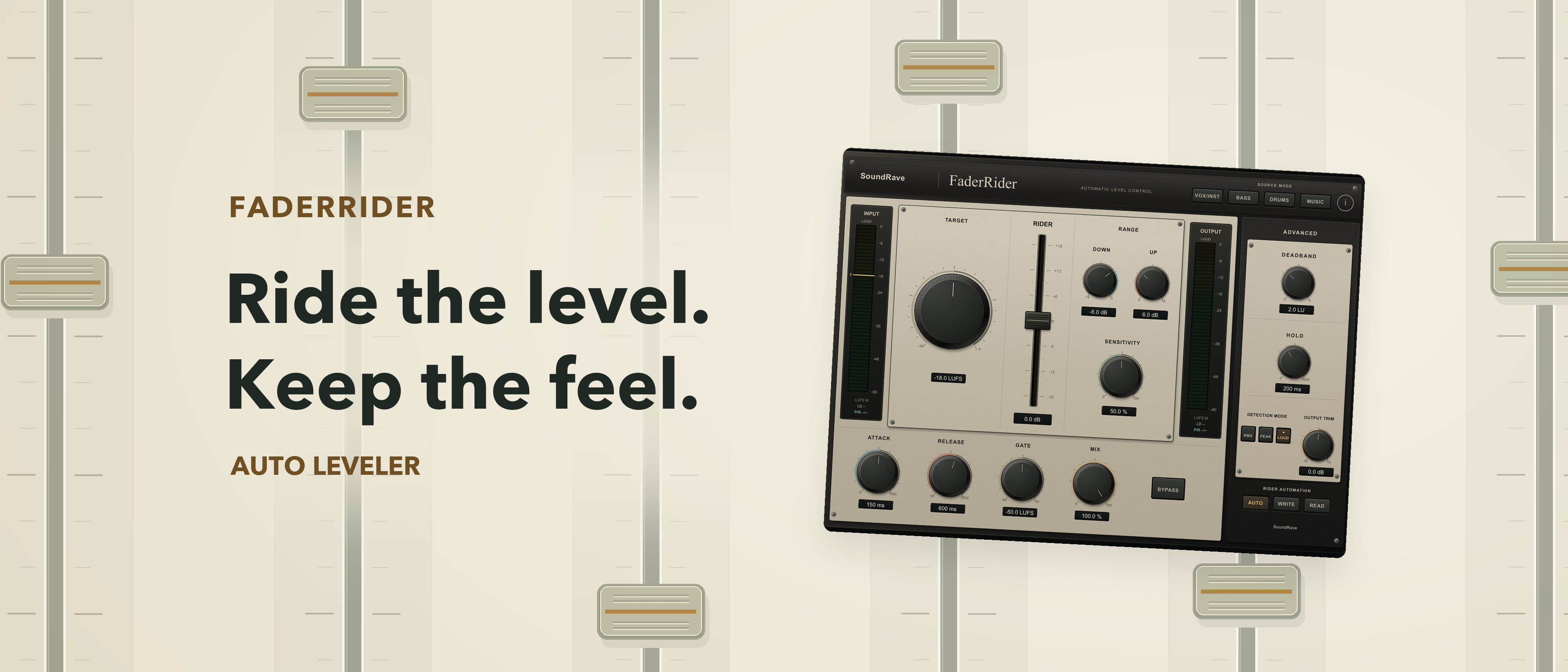
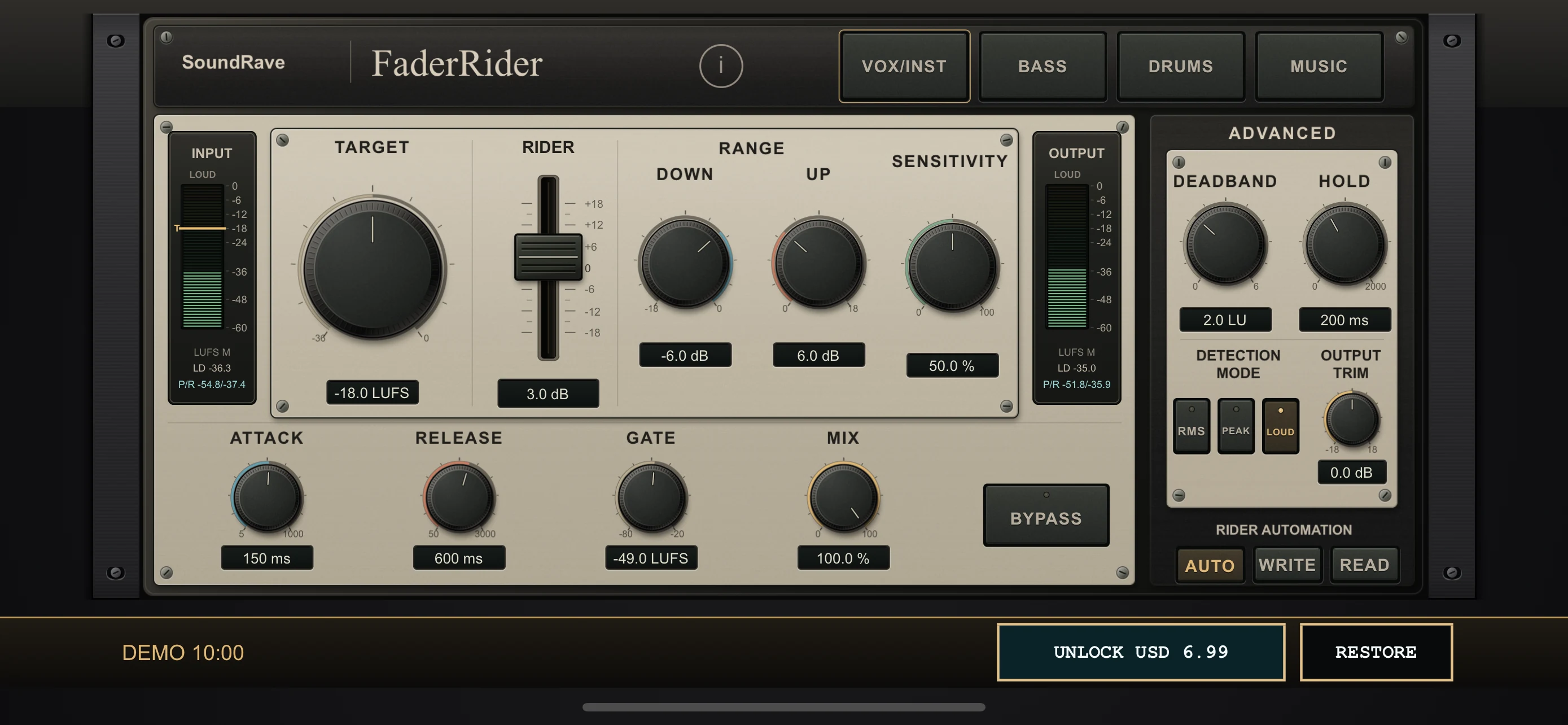
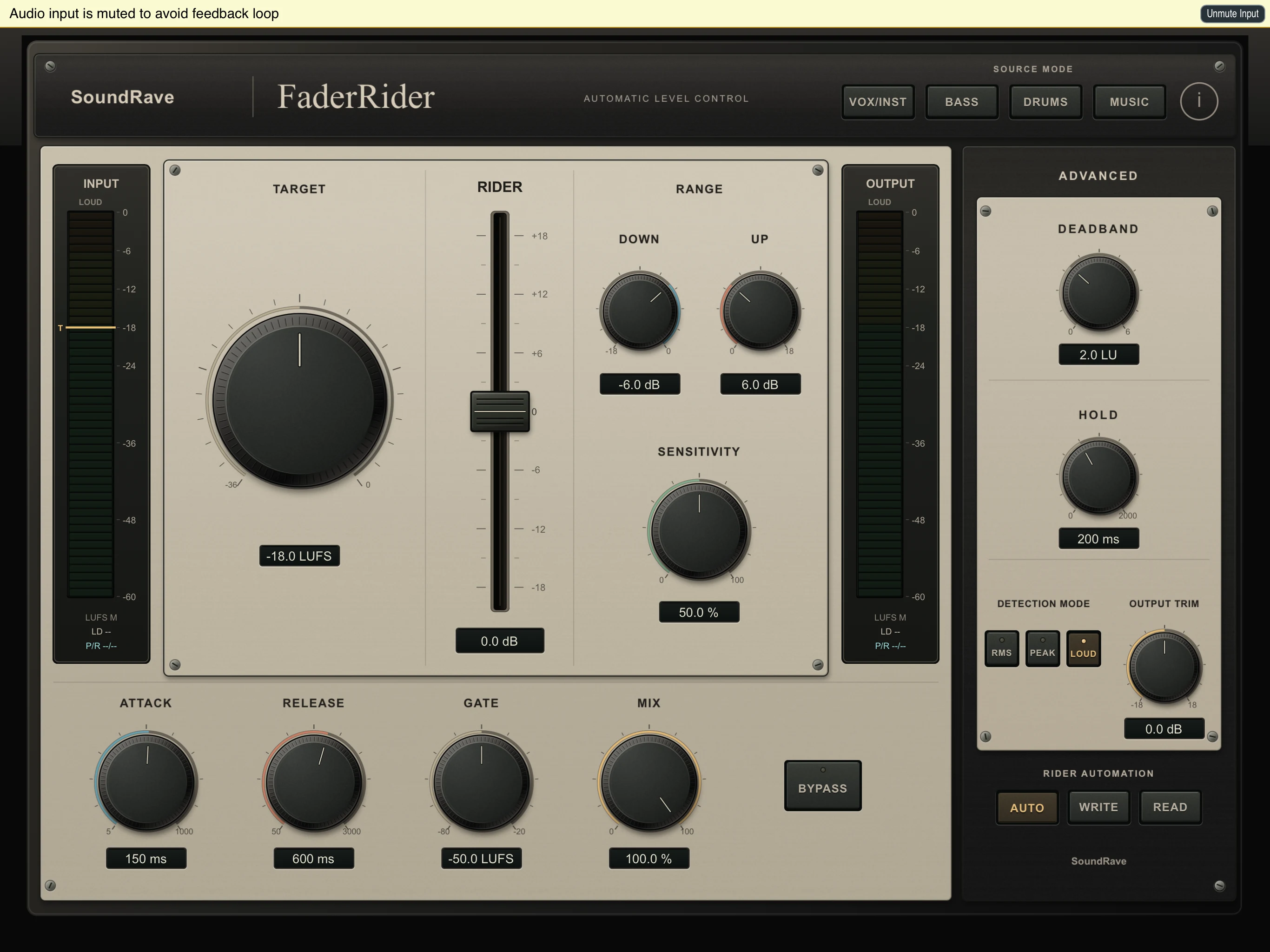
Set a target level and limit how far the rider can raise or lower the signal. Choose RMS, Peak or Loudness detection and adjust sensitivity, gate, attack, release, hold and deadband. Mix and Output controls let you blend and set the final level.
Choose how the level is measured
Select RMS, Peak or Loudness detection to suit the source and the way you want the rider to respond. FaderRider moves gain up or down around your target, with bounded range and smoothed movement.
Shape the ride
Set the target and the maximum upward and downward range. Sensitivity and Gate tune how the rider responds to quieter material. Attack, Release, Hold and Deadband shape its movement; Mix and Output control the processed blend and final level.
Work from a profile or automate it
Use source profiles for VOX/INST, BASS, DRUMS and MUSIC. Choose Auto for hands-free riding, Write to record gain movement, or Read to play automation back.
Standalone and AUv3
Use the standalone app with an audio input, or load the AUv3 effect in a compatible host on iPhone or iPad.
The app includes a 10-minute active-processing demo shared by the standalone app and AUv3. After the allowance is used, audio is muted for 24 hours before another demo is available. A one-time, non-consumable Full Unlock removes the demo limit. Purchase and restore in the standalone app; the AUv3 extension shares verified access.
演奏の良さを損なわないスムーズなレベルコントロール
FaderRiderは、iPhoneおよびiPad向けの自動オーディオレベルライディング・エフェクトです。
目標レベルを設定し、ライダーが信号を持ち上げたり下げたりする範囲に制限を設けます。RMS、ピーク、ラウドネス検知を選択し、感度、ゲート、アタック、リリース、ホールド、デッドバンドを調整します。ミックスおよびアウトプットコントロールにより、原音とのブレンドや最終的なレベルの設定が可能です。
iOS版を先行リリースしています。Laptop版は近日公開予定です。
レベルの測定方法を選択
素材やライダーに求める反応に合わせて、RMS、ピーク、ラウドネス検知を選択できます。FaderRiderは、範囲の制限と滑らかな動作を伴いながら、ターゲットの周囲でゲインを上下させます。
ライディングの調整
ターゲットと、上方および下方の最大可変範囲を設定します。感度とゲートで、静かな素材に対するライダーの反応を調整します。アタック、リリース、ホールド、デッドバンドで動作のニュアンスを形作り、ミックスとアウトプットで処理音のブレンド具合と最終レベルをコントロールします。
プロファイルの活用、またはオートメーション
VOX/INST(ボーカル/楽器)、BASS、DRUMS、MUSICのソースプロファイルを使用できます。「Auto」を選択して完全自動で動作させる、「Write」でゲインの動きを記録する、「Read」でオートメーションを再生させることができます。
スタンドアロンおよびAUv3に対応
オーディオ入力を備えたスタンドアロンアプリとして使用することも、iPhoneやiPad上の互換性のあるホストアプリでAUv3エフェクトとして読み込んで使用することもできます。
このアプリには、スタンドアロンアプリとAUv3で共有される10分間のアクティブ処理デモが含まれています。利用時間を使い切ると、次のデモが利用可能になるまで24時間オーディオがミュートされます。一度限りの買い切り型の「フルアンロック」を購入することで、デモの制限を解除できます。購入および購入の復元はスタンドアロンアプリで行い、AUv3拡張機能でも認証されたアクセスが共有されます。